Stunning Capabilities
Unleash your creative potential with state-of-the-art tools crafted to save time and wow audiences.
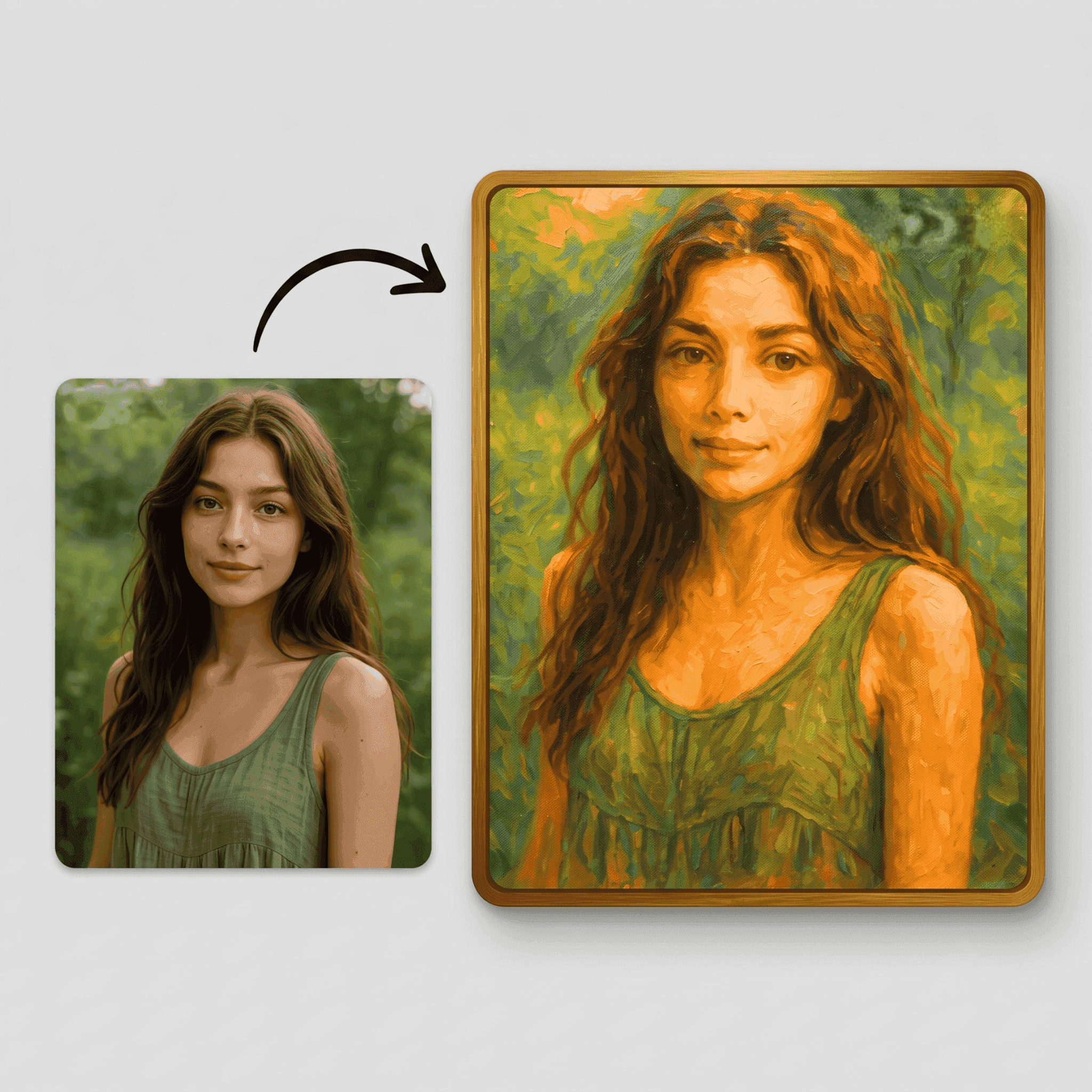
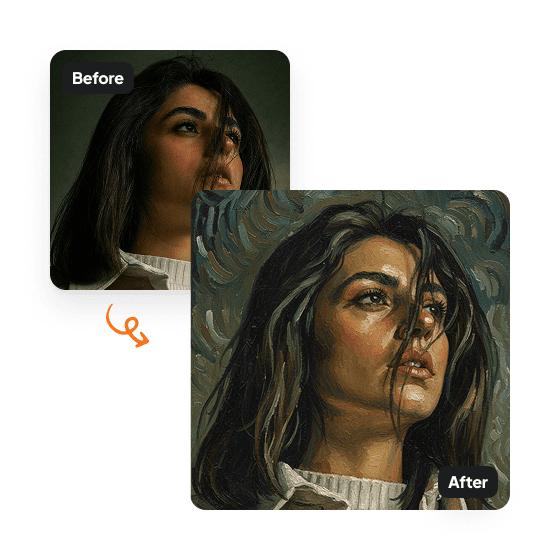
Oil Painting
Deep textures and classic brushstroke feel of real paint.
Watercolor Style
Soft, blended, and dreamy edges for portrait and landscape images.
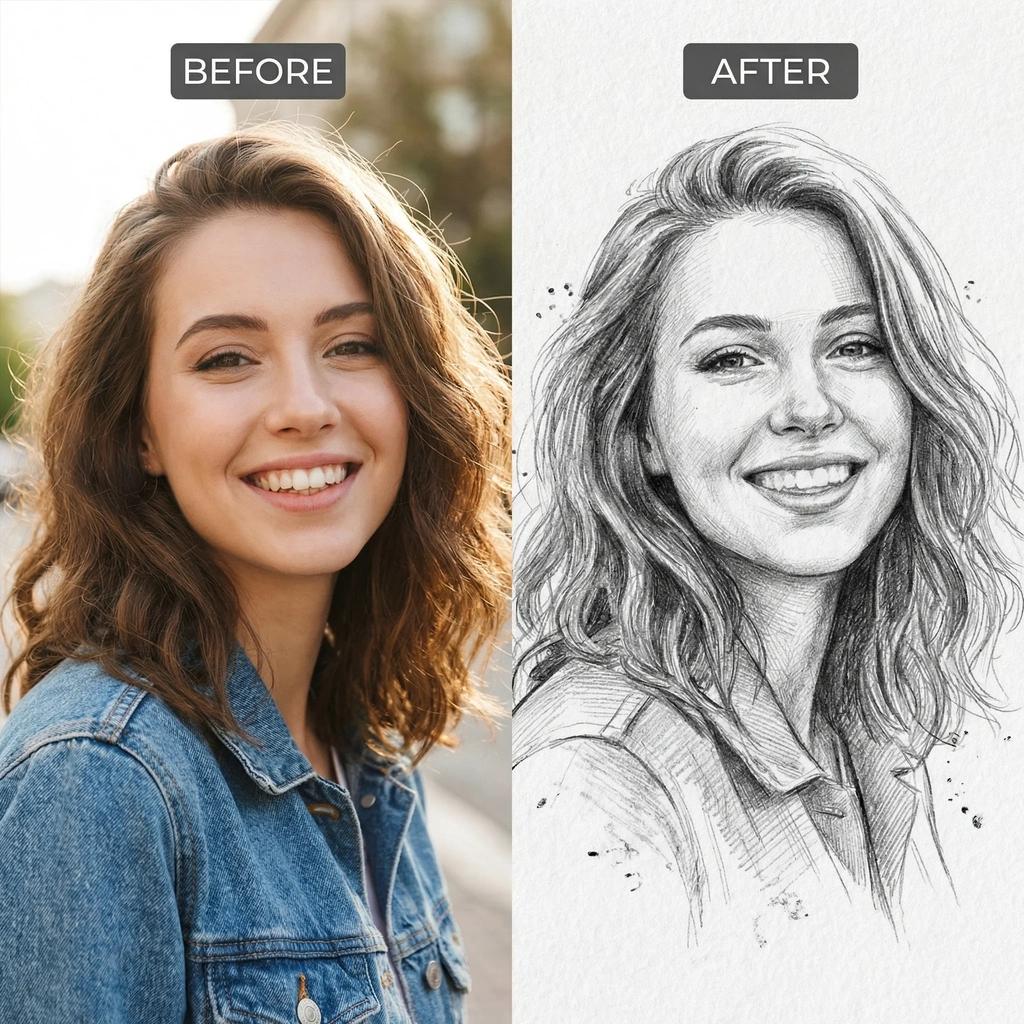
Sketch & Pencil
Clean, minimal, expressive pencil lines and fine shading details.
Turn Photos into Art Online – Make Your Images Feel Like Masterpieces
What if your everyday photos could look like actual artwork? With our photo-to-art tool, they can. In just a few clicks, you can transform simple images into creative pieces inspired by painting styles, sketches, and digital art.
Whether it’s a portrait, a city view, or even a casual selfie, you can give it a completely new artistic identity. No drawing skills, no complicated tools—just your photo and a little creativity.
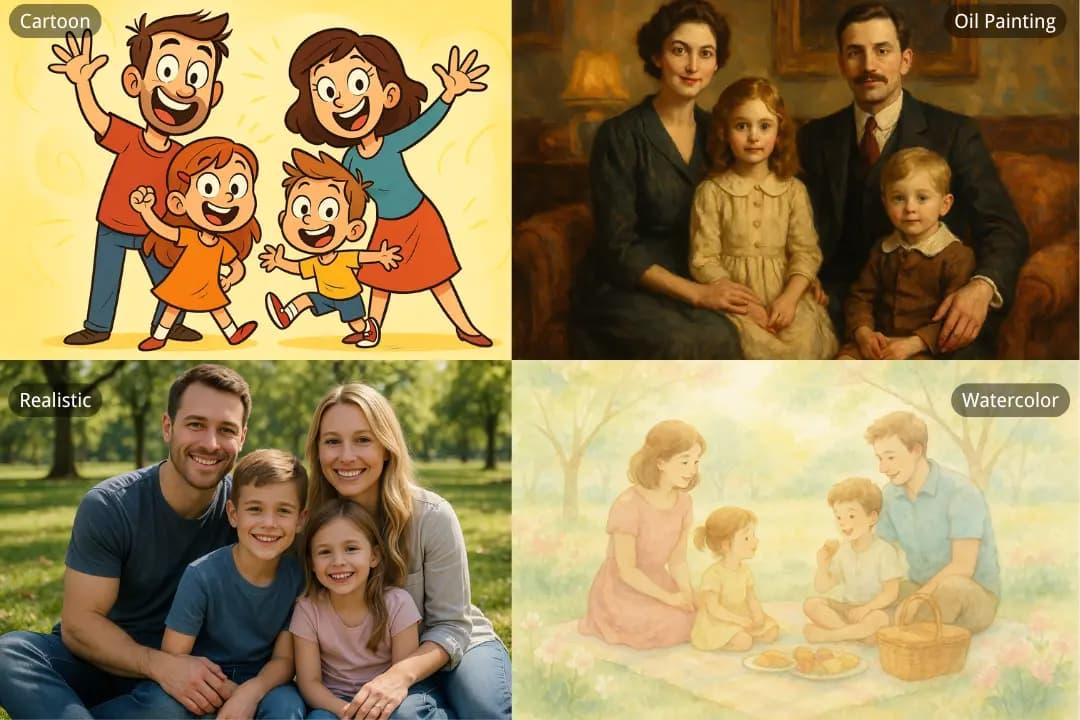
Try Different Art Styles (And Find Your Vibe)
Not all art looks the same—and that’s what makes this fun. The same photo can look completely different depending on the style you choose—so don’t be afraid to experiment.
Styles you can explore:
Creativity Without the Effort
Traditional art takes time and skill. This? Not so much. Here is how easy it is to bring your photos to life:
Upload Image
Upload your photo from any device.
Choose Style
Pick an art style you like from the menu.
Fine-Tune Art
Adjust the intensity sliders if you want.
Generate Instantly
See the gorgeous transformation instantly.
Make Your Content Stand Out
Let’s be real—regular photos don’t always grab attention anymore. Art does. This works especially well for:
This Isn’t Just a Filter
There’s a big difference here. Filters change how a photo looks. Art transformation changes what it becomes.
That means:
The result feels less like an edit—and more like a fresh piece of art inspired by your original photo.
Adjust the Look Your Way
Even when you’re creating art, you’re still in control. You can fine-tune things like:
So whether you want something subtle or something dramatic—you decide.
Why Turn Photos into Art?
Because sometimes a photo just isn’t enough. Here is what you get:
Tips for Better Results
Want your artwork to look even better? Keep these simple guidelines in mind:
Start Turning Your Photos into Art
Your photos already tell a story—this just lets you tell it in a new way. With our online photo-to-art tool, you can turn everyday images into something expressive, creative, and completely unique. Try it out and see what your photos look like when they become art.
Frequently Asked Questions
Everything you need to know about our photo-to-art tools.
Discover More Creative Solutions
Seamlessly combine our free web tools to speed up your creative design workflows and elevate your marketing assets.
AI Background Remover
Instantly remove backgrounds from images with precise AI edge detection.
Logo Maker
Create and customize professional vector brand identities in seconds.
Image Resizer
Quickly resize photos and graphics for social media and Web layouts.
Creative Blog
Read dynamic guides, design tutorials, and expert optimization tips.