Stunning Capabilities
Unleash your creative potential with state-of-the-art tools crafted to save time and wow audiences.
Precision Brush Control
Adjust brush thickness to highlight tiny details or large photobombers.
Smart Texture Healing
AI analyzes surrounding pixels to construct seamless, matching structures.
Clean Outlines
Enjoy blur-free boundaries, keeping important subjects sharp and artifacts-free.
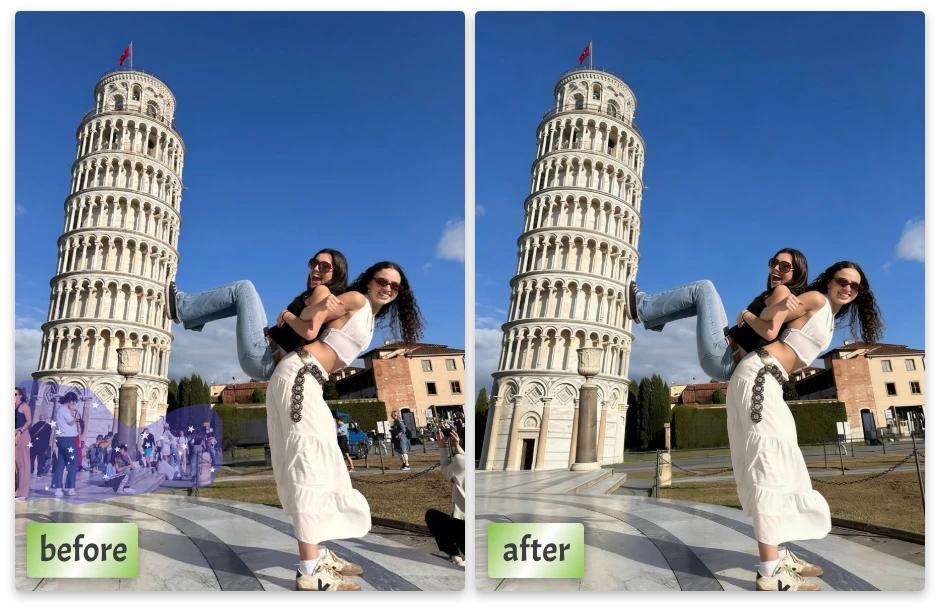
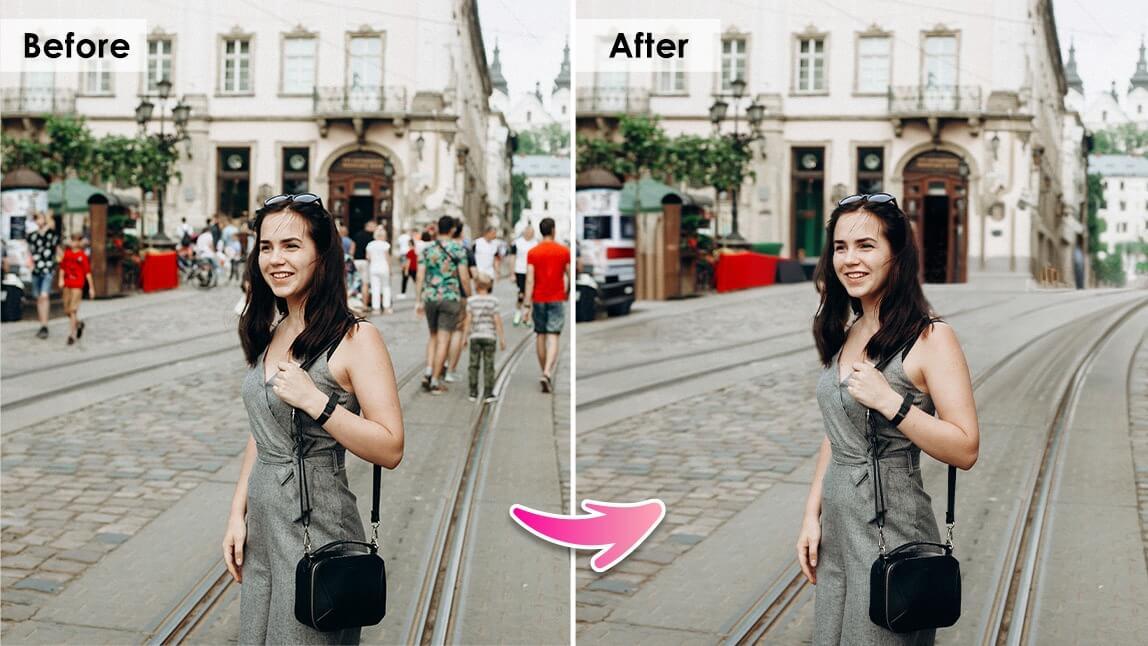
Remove Distractions, Keep the Moment
A great photo doesn’t need everything in it—just the right things.
Whether it’s a random passerby, background clutter, or an unwanted object, our tool lets you erase distractions while preserving the natural look of your image.
The result? A cleaner composition that keeps the focus where it belongs.
What Can You Remove?
You’d be surprised how much you can fix. Common use cases:
If it doesn’t belong in the frame, it doesn’t have to stay.
Simple Process, Powerful Results
No complicated tools. No steep learning curve. How It Works:
Upload Your Image
Start with any photo you want to clean up.
Select the Object
Use a brush or selection tool to highlight what you want removed.
Apply the Erase Tool
The tool intelligently fills the area using surrounding pixels.
Review & Refine
Make small adjustments if needed for a seamless result.
Download Your Clean Image
Export in high quality—ready to use anywhere.
Smart Fill That Blends Naturally
Removing an object is only half the job—what replaces it matters. Our tool uses intelligent fill techniques to recreate what should be behind:
The goal is simple: make it look like the object was never there.
AI Content Synthesis
Synthesizes textures instead of copy-pasting pixels.
Lighting & Color Matching
Adapts dynamically to the brightness gradients of the photo.
Resolution Integrity
Preserves sharp details and boundaries without introducing blurs.
Works Across Different Types of Photos
Not all images are the same—and that’s okay. This tool adapts to different scenarios:
Travel photos
Remove crowds or distractions
Portraits
Clean up backgrounds
Product images
Remove unwanted elements
Real estate photos
Declutter spaces
Social media content
Create polished visuals
From simple backgrounds to complex scenes, you stay in control.
Precision When You Need It
Sometimes it’s not about removing big objects—it’s about fixing small details. With adjustable brush sizes and zoom controls, you can:
This makes the tool useful for both quick edits and detailed cleanup.
Why Use an Object Eraser Tool?
Because retaking the photo isn’t always an option.
Save time
Fix issues instead of reshooting
Improve composition
Remove distractions instantly
Enhance professionalism
Cleaner visuals = better impact
Stay flexible
Edit after the moment is gone
No editing skills required
Anyone can use it
It’s one of the fastest ways to upgrade a photo without starting over.
Tips for Better Object Removal
Want cleaner, more natural results? Keep these in mind:
Clean Up Your Photos in Seconds
Not every photo is perfect—but every photo can be improved. With our object eraser online, you can remove distractions, refine your composition, and create images that look clean, intentional, and ready to share.
FAQs: Object Eraser Tool
Everything you need to know about our AI Object Eraser.
Discover More Creative Solutions
Seamlessly combine our free web tools to speed up your creative design workflows and elevate your marketing assets.
AI Background Remover
Instantly remove backgrounds from images with precise AI edge detection.
Logo Maker
Create and customize professional vector brand identities in seconds.
Image Resizer
Quickly resize photos and graphics for social media and Web layouts.
Creative Blog
Read dynamic guides, design tutorials, and expert optimization tips.